I usually reach for someone else’s reaction meme when I’m chatting with friends. This time, I made myself the reaction.
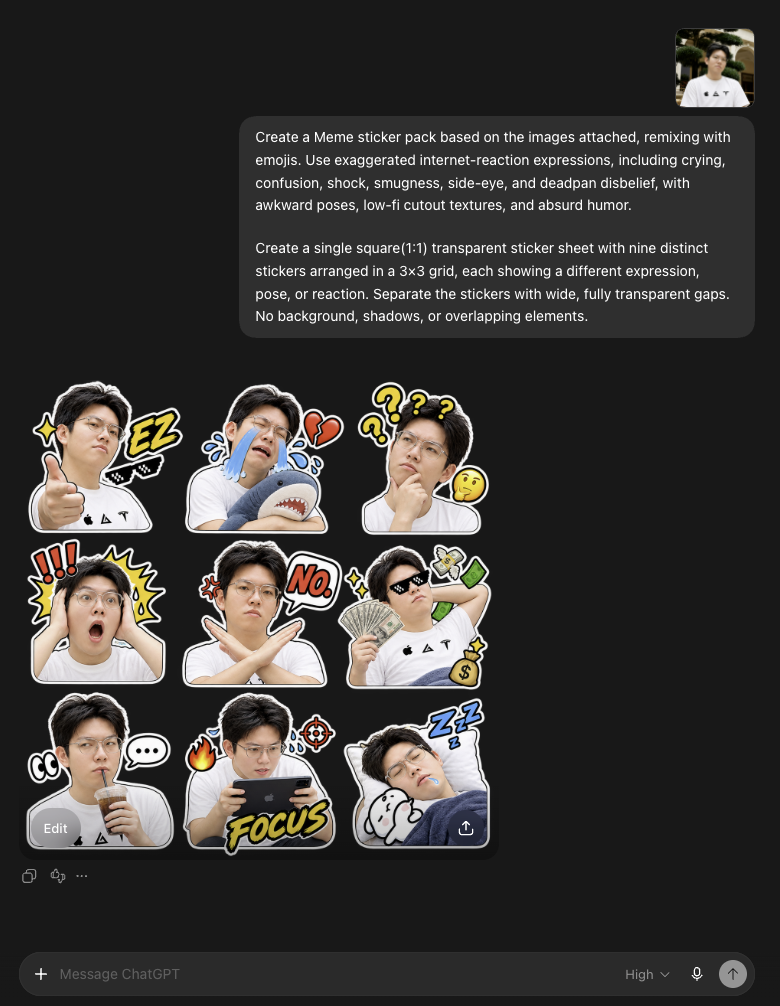
I uploaded a photo of me and asked ChatGPT to turn it into a meme sticker pack, complete with emoji, exaggerated expressions, and some slightly ridiculous poses.
I wanted over-the-top crying, total confusion, speechless shock, and that blank “are you serious?” stare.
Here’s the prompt I used, along with a few things to try if you want to make your own.
Start with a photo of yourself
Pick a clear, well-lit photo where your face isn’t hidden. It helps if your features, hairstyle, and glasses are easy to make out.
Upload the photo to a ChatGPT conversation, then describe the image you want. OpenAI’s documentation also explains how to attach a reference image for generation or editing. Official image generation guide
The exact prompt I used
You can paste this alongside your own photo:
Create a Meme sticker pack based on the images attached, remixing with emojis. Use exaggerated internet-reaction expressions, including crying, confusion, shock, smugness, side-eye, and deadpan disbelief, with awkward poses, low-fi cutout textures, and absurd humor.

Create a single square(1:1) transparent sticker sheet with nine distinct stickers arranged in a 3×3 grid, each showing a different expression, pose, or reaction. Separate the stickers with wide, fully transparent gaps. No background, shadows, or overlapping elements.
The prompt covers four things:
- The person: use my uploaded photo as the reference.
- The reactions: crying, confusion, shock, smugness, side-eye, and deadpan disbelief.
- The style: emoji, awkward poses, rough cutout textures, and absurd humor.
- The layout: one square image with nine different reactions in a 3×3 grid, wide transparent gaps, no background or shadows, and no overlapping stickers.
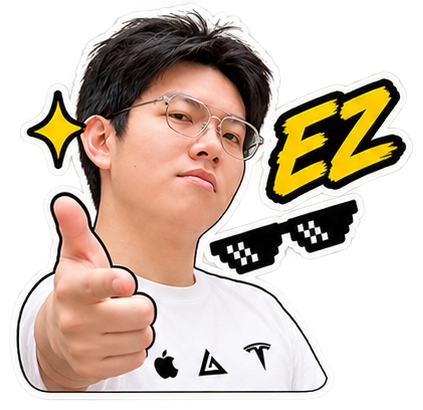
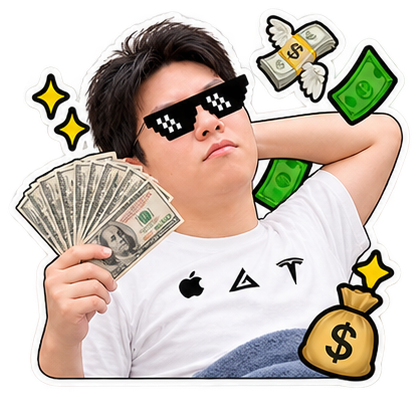
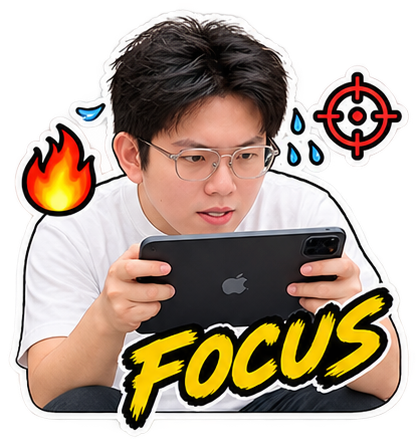
“Low-fi cutout textures” sounds a bit abstract. Think of something deliberately rough around the edges, as if you’d cut it out and pasted it into a collage. Add an exaggerated reaction, and that’s the meme style I was going for.
Want the stickers to look more like you?
These are suggestions for follow-up prompts, not messages from my original conversation:
Keep the recognizable facial features, hairstyle, and glasses from the reference photo so all nine stickers look like the same person. Exaggerate the expressions, but make sure the person still looks like me.
You can also spell out each reaction:
Make the nine reactions: sobbing, total confusion, shock, smugness, suspicious side-eye, speechless disbelief, an awkward smile, exhausted zoning out, and excited cheering. Do not add text.
Or describe a situation instead of an emotion: being asked to work overtime at the last minute, finally getting your food delivery, or reading a friend’s terrible joke. Sometimes that’s an easier way to get across the reaction you want.
When asking for a change, say what to adjust and what to keep. For example:
Change only the sticker in the middle of the second row to show more exaggerated confusion. Keep the other eight stickers and the layout as they are.
This follows OpenAI’s advice to be specific about what should change and what should stay the same. Official image editing guide
Save them and add them to your chat app
My favorite part of this is getting to be my own reaction meme.
The next time I don’t know what to say, a sticker of my own blank stare might do the job.
Which reaction would you make first?